
Copper Alternative
A Gmail-first alternative to Copper for solo operators
Copper can be a strong fit when you want a full CRM system and team workflows. Donna is built for people who live in Gmail and want relationship context and follow-ups next to the thread, with minimal setup.
Free trial - Minimal setup - Cancel anytime
Pick Donna if
You spend most of your day in Gmail
You want relationship context and next steps next to the thread
You want a lightweight system that is easy to maintain solo
Consider Copper if
You need a full CRM experience outside the inbox
You have a team workflow with shared reporting needs
You want deeper customization and admin configuration
Donna inside Gmail
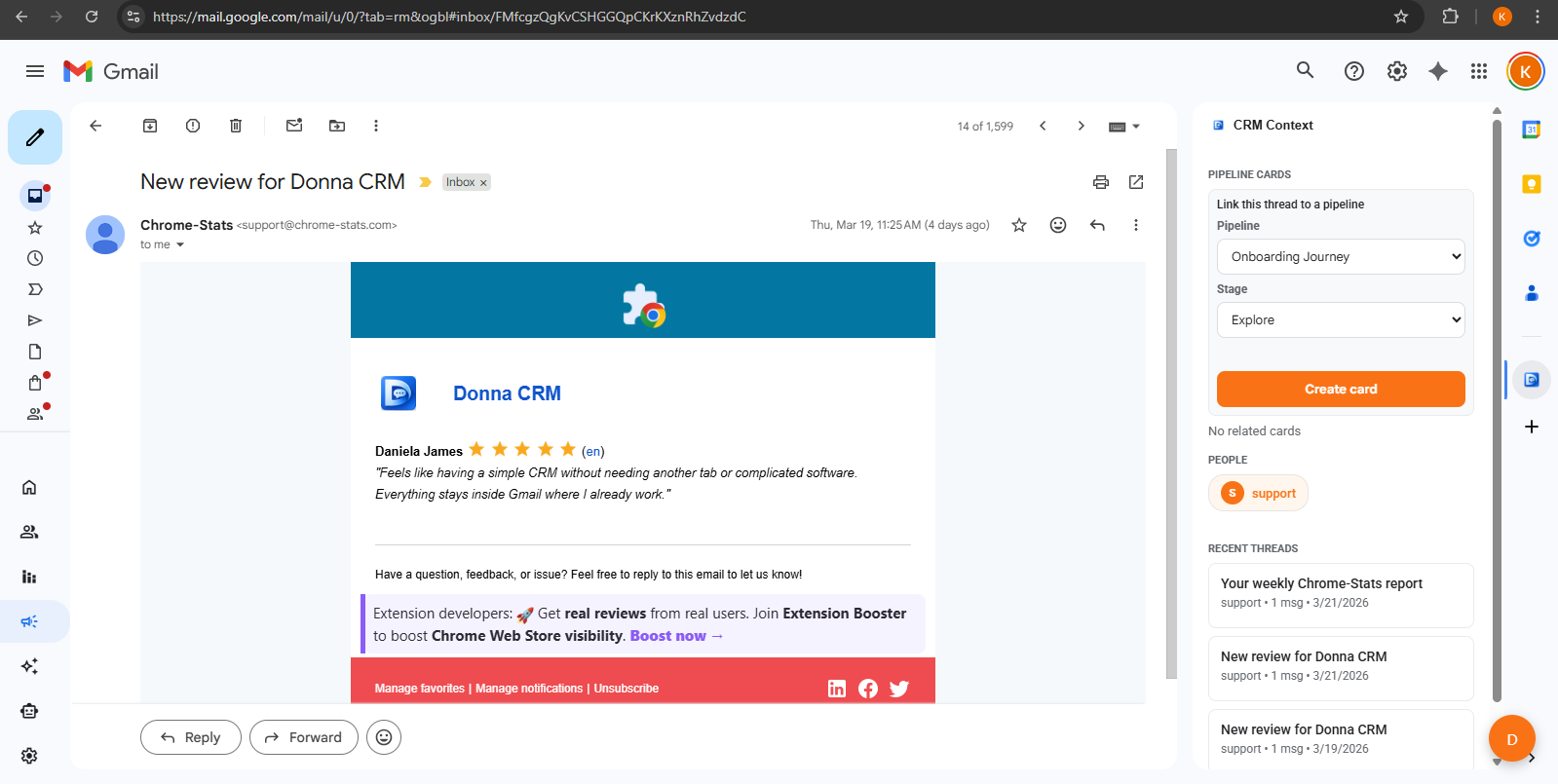
Open any thread and keep context, notes, and next steps close to the conversation.
Comparison
Donna vs Copper: a practical comparison
If you want a full CRM system and team reporting, Copper can be a better fit. If you want a lightweight inbox-first workflow for follow-ups and relationship context, Donna is built for that.
| Category | Donna CRM | Copper |
|---|---|---|
| Primary workflow | Gmail-first Context and next steps in the Gmail sidebar. | Google Workspace CRM Records, pipelines, tasks, and reporting across Gmail, Calendar, and the CRM. |
| Best fit | Solo operators Consultants, freelancers, founders, recruiters. | Teams When shared CRM processes matter day to day. |
| Setup and maintenance | Minimal Start simple and keep it lightweight. | More configuration Often benefits from setup and ongoing tuning. |
| Follow-ups | Task-first Capture the next step tied to the thread. | CRM-driven Follow-ups often live as CRM activities. |
| AI assistance | Human-in-the-loop Drafts and suggestions; you confirm. | Plan-dependent AI tools Includes email writing assistance on eligible plans. |
| Reporting | Basic Simple visibility for individuals. | Stronger More reporting typical of full CRMs. |
| Collaboration | Not the focus Built for individuals, not teams. | Team oriented Designed for shared workflows and visibility. |
Check current details
Competitor features and pricing can change. These official Copper pages were checked in August 2026.
This is a high-level comparison for typical solo workflows. Check the official product pages above for current plan and feature details.
Common reasons
Why some people look for a Copper alternative
Copper can be a great CRM. Many solo operators look for an alternative when they want less overhead and a tighter inbox-first follow-up loop.
You want less CRM administration
Copper connects closely with Google Workspace while also offering a full CRM. Solo operators may prefer fewer fields, reports, and processes to maintain.
Setup becomes a project
Fields, workflows, and configuration can be valuable, but they also create maintenance. Solo operators often want less overhead.
You want a simpler follow-up loop
For many people, the job is follow-ups and next steps. A lightweight Gmail-native loop can be easier than a full CRM system.
Switching
Switching without migrating everything
Most people do not need a full migration on day one. Start with the relationships that matter right now and build from there.
- 1. Pick 10-20 active relationships and add only those first.
- 2. For each one, capture one note: what they care about and the next step date.
- 3. Keep one simple stage model and run a weekly 15-minute review.
FAQ
Common questions
Is Donna a full CRM like Copper?
No. Donna is intentionally lightweight and built for individuals. If you need deeper team workflows, admin controls, and reporting, a full CRM can be a better fit.
Do I need to migrate everything to switch?
Not usually. Many people start with active relationships and track new conversations going forward. You can migrate more later if you want.
Who should stick with Copper?
Teams that want a full CRM workflow and shared reporting, especially when CRM work happens outside the inbox as much as inside it.
Keep exploring
Learn more about how Donna works, or dive into a specific workflow.
Ready to try it?