
Pipedrive Alternative
A Pipedrive alternative for people who run deals from Gmail
Pipedrive can be a strong fit when your workflow is a pipeline and you want team reporting. Donna is built for solo operators who want follow-ups and relationship context next to Gmail threads, without turning their day into CRM maintenance.
Free trial - Minimal setup - Cancel anytime
Pick Donna if
You want an inbox-first workflow inside Gmail
You want follow-ups and context tied to real threads
You are a solo operator and want minimal admin overhead
Consider Pipedrive if
Your workflow is centered around a pipeline board
You need deeper reporting and sales operations processes
You have a team that collaborates inside the CRM
Donna inside Gmail
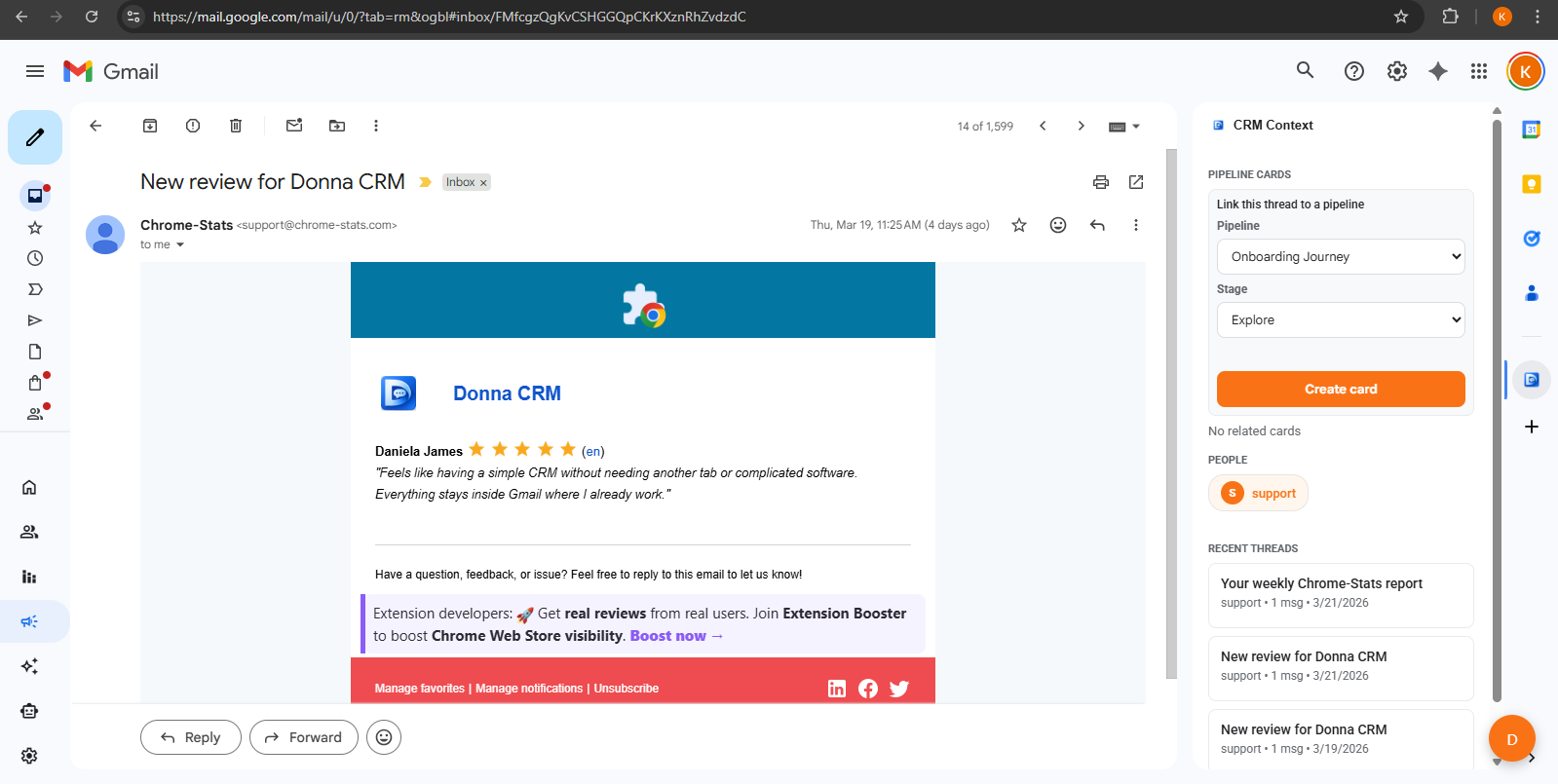
Keep deals connected to real conversations and keep next steps visible while you work in Gmail.
Comparison
Donna vs Pipedrive: a practical comparison
If you want a pipeline-first CRM for a team, Pipedrive can be a better fit. If you want a lightweight inbox-first workflow for follow-ups and relationship context, Donna is built for that.
| Category | Donna CRM | Pipedrive |
|---|---|---|
| Primary workflow | Gmail-first Thread context and next steps in the sidebar. | Pipeline-first Deals and stages drive daily workflow. |
| Best fit | Individuals Solo Gmail workflows for follow-ups and context. | Sales teams When the CRM is the operating system for sales. |
| Setup and maintenance | Minimal Start lightweight and keep it simple. | More setup Often benefits from process and ongoing tuning. |
| Follow-ups | Task-first Capture one next step tied to the thread. | CRM-driven Follow-ups often managed via CRM activities. |
| Email connection | Built around Gmail Donna runs beside the active conversation. | Available by plan Email sync is available on Growth and higher plans. |
| AI assistance | Human-in-the-loop Drafts and suggestions; you confirm. | Built into current plans Sales and email assistance varies by feature and plan. |
| Reporting | Basic Simple visibility for one-person workflows. | Stronger More pipeline reporting typical of sales CRMs. |
| Collaboration | Not the focus Designed for individual workflows. | Team oriented Built for shared processes and visibility. |
Check current details
Competitor features and pricing can change. These official Pipedrive pages were checked in August 2026.
This is a high-level comparison for typical solo workflows. Check the official product pages above for current plan and feature details.
Common reasons
Why some people look for a Pipedrive alternative
Pipedrive can be a strong CRM. Many solo operators look for an alternative when they want less pipeline maintenance and a tighter inbox-first follow-up loop.
Pipeline-first can feel like a second job
Pipeline workflows are powerful, but for solo operators they can become one more system to keep updated instead of a tool that reduces work.
You want the inbox to be the main workspace
Pipedrive can sync email on eligible plans, while its primary workflow remains in the CRM. Donna keeps the day-to-day workflow beside Gmail conversations.
You want a simpler next-step loop
A lightweight system is often enough: stage, next step, follow-up date. The rest is execution.
Switching
A lightweight switching path (no massive migration)
If you are switching from a pipeline-first CRM, keep the transition simple: focus on active deals and the next step, not historical perfection.
- 1. Start with active deals and active relationships only.
- 2. For each, capture: current stage, next step, and follow-up date.
- 3. Run a weekly review to keep the loop consistent.
FAQ
Common questions
Is Donna a full sales CRM like Pipedrive?
No. Donna is built for lightweight Gmail-native workflows for individuals. If you need a full pipeline operating system for a team, a sales CRM can be a better fit.
Who should choose Donna over Pipedrive?
People who spend most of their day in Gmail and want follow-ups and relationship context next to the thread, with minimal admin overhead.
What if I still want deal stages?
Donna supports lightweight stages, but the focus stays on execution: next step, follow-up date, and context in the inbox.
Keep exploring
Learn more about how Donna works, or dive into a specific workflow.
Ready to try it?